Abacus Color Icons: Simple, Clean, and Versatile
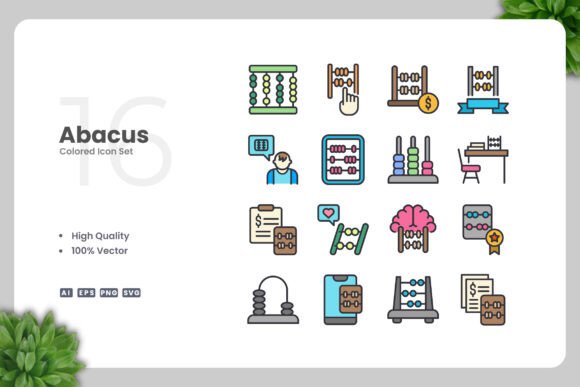
If you're looking for a set of icons that combine simplicity with functionality, Abacus Color Icons might be exactly what you need. Designed with a clean aesthetic, these icons are perfect for a wide range of projects, from websites and mobile apps to social media posts and print materials. Their versatility makes them an excellent choice for creators, designers, and professionals who want to enhance their visual communication without complicating their workflow.
What sets Abacus Color Icons apart is their focus on clarity and ease of use. Each icon is crafted with precision, ensuring that it communicates its intended message effectively. Whether you're designing a website or creating a presentation, these icons can help you convey information quickly and efficiently. Their minimalist approach also means they blend well with different design styles, making them adaptable to various branding needs.
Key Features of Abacus Color Icons
Abacus Color Icons come with a range of features that make them ideal for both personal and professional use. One of the most notable aspects is their high-quality vector design. This means you can scale them to any size without losing clarity, which is essential for projects that require different formats and resolutions.
- 100% Vector Format: Perfect for resizing and maintaining sharpness at any scale.
- 100% Customizable: Easily adjust colors, shapes, and details using vector editing software like Adobe Illustrator or CorelDRAW.
- Easy Drag and Drop: Simplifies integration into your design workflow.
- Multiple File Formats: Includes AI, EPS, SVG, PNG, and a Readme.txt file for easy setup.
These features ensure that Abacus Color Icons are not only visually appealing but also practical for a variety of design tasks. The availability of source files gives you full control over how you use and modify the icons, making them a valuable asset for any project.
Real-World Applications of Abacus Color Icons
Whether you're working on a digital project or a printed piece, Abacus Color Icons can add a professional touch to your work. For example, web developers can use these icons to create intuitive navigation menus or interactive elements that improve user experience. Their clean design ensures they don't clash with other design elements, allowing for a cohesive look across the entire site.
In the realm of mobile apps, these icons can be used to represent functions, settings, or actions within the app interface. Their simplicity helps users recognize and interact with them more easily, contributing to a smoother and more engaging user experience. Additionally, their scalability makes them suitable for different screen sizes and resolutions.
For print materials such as flyers, posters, or banners, Abacus Color Icons provide a polished and modern appearance. They can be used to highlight key points, organize content, or add visual interest to otherwise text-heavy designs. Their transparency in PNG format also allows for seamless integration into backgrounds or layered compositions.
Benefits for Different Industries and Users
Entrepreneurs and small business owners can benefit from using Abacus Color Icons to create marketing materials, logos, or promotional content. These icons help establish a consistent brand identity while keeping the design simple and professional. Their customizable nature allows businesses to match the icons with their brand colors, reinforcing brand recognition across all platforms.
Marketers and content creators can use these icons to enhance social media posts, infographics, or email newsletters. Visual elements like icons can make complex information easier to digest and more engaging for the audience. For instance, a blog post about productivity tools could use Abacus Color Icons to illustrate key concepts, making the content more visually appealing and informative.
Educators and students can also find value in these icons. Teachers might use them to create presentations or study guides, while students can incorporate them into reports, slides, or digital portfolios. The ability to edit and customize the icons ensures that they can be tailored to fit specific educational themes or learning objectives.
Practical Considerations When Using Abacus Color Icons
When selecting icons for a project, it's important to consider the context in which they will be used. Abacus Color Icons are best suited for projects that require a clean and modern look. If your design has a more intricate or detailed style, you may need to choose icons that align with that aesthetic.
Another consideration is the level of customization required. While the icons are highly editable, some users may prefer pre-designed sets that match specific themes or industries. However, for those who want full control over their design, the ability to adjust colors and shapes is a major advantage.
Finally, it's worth noting that the inclusion of multiple file formats ensures compatibility with different design software and platforms. This flexibility allows users to work in their preferred environment without limitations. The Readme.txt file also provides helpful instructions, making it easier to get started with the icons.
Why Choose Abacus Color Icons?
Abacus Color Icons offer a balanced combination of quality, versatility, and ease of use. Their clean design makes them suitable for a wide range of applications, while their vector format ensures they remain sharp and clear at any size. Whether you're a designer, developer, marketer, or educator, these icons can help elevate your work and streamline your creative process.
By choosing Abacus Color Icons, you're investing in a resource that can adapt to your needs and support your goals. Their customizable nature and professional quality make them a valuable addition to any design toolkit. With the right approach, these icons can enhance your projects and contribute to a more effective and visually appealing outcome.